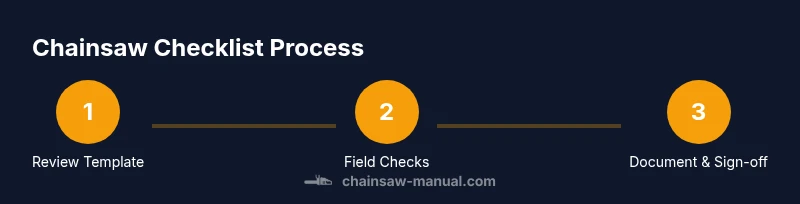
Chainsaw Checklist Template: A Practical How-To Guide
Learn how to create and use a chainsaw checklist template for safe, efficient operation. This step-by-step guide covers customization, field use, PPE, and logging to improve safety and consistency across jobs.


A chainsaw checklist template standardizes pre-use checks, PPE verification, fuel and maintenance tasks, and scene assessment for safer operation. It tailors to job conditions, logs findings for accountability, and helps teams avoid omissions. Use it to improve consistency and safety before every cut.
What is a chainsaw checklist template?
A chainsaw checklist template is a structured, repeatable set of checks you perform before, during, and after operating a chainsaw. It consolidates safety, maintenance, and work-site risk assessment into a single document you can customize for each job. According to Chainsaw Manual, using a standardized template helps homeowners, DIY enthusiasts, and professionals verify critical steps every time, reducing omissions and promoting safer, more efficient work. The Chainsaw Manual team found that teams who adopt formal templates tend to complete inspections more consistently, log important data, and improve accountability on a jobsite. At its core, the template includes sections for pre-start checks, service and maintenance, operating conditions, and post-work wrap-up. It can be digital, printable, or laminated for field use.
Why a standardized template improves safety and efficiency
A formal template enforces a consistent routine, ensuring nothing vital is skipped. By documenting each step, operators gain a traceable record that supports training, audits, and incident review. Templates also help teams communicate clearly about hazards, weather conditions, and workarounds, which reduces miscommunication on noisy, chaotic sites. In practice, the template serves as both a checklist and a logbook: it prompts you to verify PPE, fuel mix, chain tension, and brake function, and it records results for accountability. A well-designed template balances thoroughness with usability, so workers don’t abandon it mid-task.
Core sections of an effective chainsaw checklist template
Effective templates share common sections that map to the lifecycle of a cut: Pre-Start, Start-Up and Run-Through, Operations, and Post-Work. Each section should include specific items with space for notes and a sign-off. For example, the Pre-Start section might cover PPE, fuel quality, bar oil level, chain tension, and spark plug condition (where applicable). The Run-Through captures tool controls, chain brake engagement, throttle response, and kickback risk. The Operations section documents work-site hazards, escape routes, and load paths. Finally, the Post-Work section records fuel disposal, bar and chain cleaning, and maintenance tasks performed. A robust template also allows you to add job-specific fields like tree species, terrain, or weather conditions.
How to customize the template for different jobs
Start with a core template that includes safety-critical items you cannot omit. Then add job-specific sections for variable factors such as tree diameter, species, slope, or proximity to structures. Create presets for common tasks (e.g., pruning, felling, bucking) and link them to safety tips unique to those tasks. Consider regional regulations and local best practices, and incorporate a simple scoring or color-coding system to flag high-risk items. Always retain the ability to log observations and corrective actions so the template remains a living document that evolves with your crew’s experience.
Field use: translating the template into practice
In the field, simplicity is essential. Use a laminated printout or a durable digital form accessible on a rugged device. Keep the template within arm’s reach of the operator, and designate a recorder for notes and signatures. During setup, walk through each item methodically, verbalizing findings to improve situational awareness. If you encounter a missing field or an out-of-date instruction, annotate and adapt the template on the spot, then update your copy for future uses. Regularly review completed templates to identify recurring hazards or maintenance gaps that require systemic changes.
Digital vs print templates and data logging
Digital templates offer quick updates, centralized storage, and easier sharing across teams. Print templates work well in remote sites with limited connectivity and can be laminated for reusability with dry-erase markers. Regardless of format, ensure the log includes date, operator name, job location, and any corrective actions. Backups are essential—store digital copies in a secure drive or cloud with offline sync, and keep printed copies in a weatherproof binder. The goal is to maintain a clear, auditable record of safety checks and maintenance activities across projects.
mainTopicQuery_for_wikidata_lookup_placeholder_placeholderfor_BlockData_Missing_Only_for_schema_purposes_howto_blocks_placeholder_reason_please_ignore_1_3_word_noun_phrase_for_wikidata_lookup
Tools & Materials
- Chainsaw checklist template (digital or printable)(Use a version that matches local regulations; customize fields as needed)
- Pen or pencil(For marking completed items and notes)
- Clipboard or notebook(Keeps template steady in the field)
- High-contrast printout or laminated sheet(Optional for visibility in bright sunlight)
- Permanent marker or color-coded highlighters(Optional to indicate completed sections)
- Safety PPE (helmet, eye/face shield, hearing protection, gloves, chainsaw chaps)(Safest approach is to wear PPE during checks and operation)
Steps
Estimated time: 25-40 minutes
- 1
Review the template and PPE requirements
Open the template and confirm the sections you will apply for this job. Verify the required PPE and ensure you’re wearing it before touching the saw. If any field is missing or outdated, mark it for quick customization.
Tip: Always verify PPE before any tool handling; it saves time and reduces risk. - 2
Inspect fuel, bar oil, and chain tension
Check fuel mix quality and fuel level, confirm bar oil is adequate, and test chain tension by hand. Look for chain wear or damage and ensure sharpness. Update the template if any of these items require new instructions.
Tip: Use the template’s notes area to record deviations like unusual chain wear. - 3
Check safety features and controls
Test the chain brake, kill switch, and throttle lock to ensure they operate smoothly. Verify starting procedures are clear in the template and practice a controlled start.
Tip: A quick start-test in a safe area prevents surprises in the work zone. - 4
Assess work area hazards and escape routes
Survey the immediate area for trip hazards, bystanders, and overhead hazards. Mark a safe retreat path in the template and confirm all workers know the plan.
Tip: Always designate a dedicated lookout when working near others. - 5
Perform a controlled start and test cut
Start the saw using the template’s prescribed sequence and perform a small, controlled test cut to confirm balance and response. Stop if anything feels wrong and log observations.
Tip: Test cuts should be shallow and in a safe target area. - 6
Document results and close out
Record weather, site conditions, tools checked, and any corrective actions taken in the template. Sign-off and store the completed form for future audits.
Tip: Include a timestamp and operator initials for accountability.
FAQ
What is a chainsaw checklist template?
A chainsaw checklist template is a structured, repeatable set of checks you perform before, during, and after operating a chainsaw. It consolidates safety, maintenance, and work-site risk assessment into a single document you can customize for each job.
A chainsaw checklist template is a repeatable set of safety and maintenance checks you use before and during chainsaw work.
Can I customize the checklist for different jobs?
Yes. Start with a core template and add job-specific fields such as tree species, terrain, and weather. Preserve safety-critical items and provide clear instructions for common tasks like pruning or felling.
Yes, you can customize the template for different jobs while keeping safety items intact.
How often should I update the template?
Review the template annually or after a major change in equipment, procedures, or regulations. When you identify recurring issues, adjust the template to address them.
Update it at least once a year or after major changes.
Is a digital checklist safe to use outdoors?
Digital checklists are safe if stored offline or in a durable app with autosave. Consider a laminated printout as a backup for harsh weather or heavy use environments.
Yes, with offline storage and a backup printout.
What records should be kept after using the checklist?
Keep a copy of the completed template with date, location, operator, and any deviations or corrective actions. This creates an auditable safety history for future audits.
Keep the completed checklist with key details for accountability.
Watch Video
The Essentials
- Use a standardized checklist to reduce omissions during safety-critical tasks
- Customize the template for each job while preserving core safety items
- Log results to support accountability, training, and audits
- Keep templates accessible, legible, and in good condition for field use