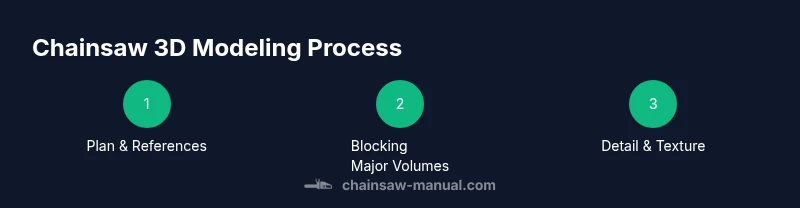
Chainsaw 3D: A Practical How-To Guide
A practical, safety-first guide to creating a 3D model of a chainsaw, covering planning, modeling steps, testing, and finishing tips for DIYers and professionals.


This guide will show you how to plan, model, test, and finalize a safe, accurate 3D representation of a chainsaw. You’ll learn planning steps, software options, and a step-by-step workflow to build a usable model for visualization, education, or prototyping.
Understanding Chainsaw 3D: Why It Matters
For many DIYers and product designers, chainsaw 3D refers to creating a three-dimensional digital representation of a chainsaw for visualization, prototyping, or educational demos. This guide treats 'chainsaw 3D' as a modeling project first and a safety-focused exercise second. According to Chainsaw Manual, starting from a clear brief and a safe workflow is essential, especially when your model will be used for training or demonstration rather than direct tool operation.
Before you begin, define your goals: Are you building a low-poly teaching model, a high-detail replica for film, or a printable prototype? Your choice will determine the level of detail, topology, and file formats. In any scenario, accuracy matters. You should measure or source dimensions from reliable references and plan a non-destructive editing path so you can revise design without redoing work. This section also touches on how to balance realism with performance, so your model remains usable in real-time renderers or slicers. Finally, we discuss how 3D modeling ethics intersect with safety: avoid creating weapon-like features that could encourage misuse.
Based on Chainsaw Manual analysis, starting with a realistic reference and a clear scope reduces rework and speeds up iterations.
Core Concepts for Safe 3D Modeling
Creating a chainsaw in 3D blends realism with responsible design. In this section you’ll learn core concepts: clean topology, consistent scale, and safe visual language. A well-structured model uses quads where possible, avoids unnecessary micro-triangles, and aligns with real-world dimensions to ensure accurate renders and printable prototypes. Per Chainsaw Manual, separate functional regions (engine housing, bar, chain, handle) into layers or groups so you can edit without breaking other parts. This separation also helps during collaboration, where teammates focus on specific areas—without risking overall integrity.
Key ideas include setting a realistic scale early, leveraging reference images for proportions, and deciding on the level of detail you need for your intended use. If your aim is real-time visualization, you’ll optimize polygon count; if you plan to 3D print a tangible model, you’ll prioritize printability and tolerances. A safety-minded mindset is embedded here: avoid adding features that imply hazardous operation or misuse. Keeping these principles in mind helps you move smoothly from concept to a practical, usable model.
Planning Your Chainsaw 3D Project
Planning is the backbone of any successful chainsaw 3D project. Start with a brief that includes the intended use (education, display, or prototyping), target platform (mobile real-time, desktop rendering, 3D printing), and required accuracy. Gather robust references: official dimensions from manufacturer manuals, exploded diagrams, and high-resolution photos from multiple angles. Establish a project timeline with milestone reviews to prevent scope creep. Decide on a naming convention and directory structure so revisions stay organized. A safety-first approach means planning for non-operational visualization rather than functional replication—avoid operational details that could be misused. Include version control from day one and maintain a changelog for every major revision.
Draft a bill of materials for software, hardware, and reference materials. Plan for non-destructive workflows: use modifiers or non-destructive modeling techniques so you can adjust proportions without losing earlier work. Finally, align your model with your end-user needs—whether it’s a simple teaching aid or a collector-grade piece—so you can optimize details accordingly.
Setting Up Your Toolchain: Software and Hardware
Choosing the right toolchain is critical for a smooth chainsaw 3D workflow. You can start with a general-purpose tool like Blender for free or opt for CAD-oriented platforms such as Fusion 360 or FreeCAD if precise engineering is needed. Each tool has strengths: Blender excels at organic shapes and textures, while CAD packages offer strong dimensioning and assemblies. Hardware matters too: a modern multi-core computer with ample RAM (16–32 GB+) and a capable GPU will speed up viewport performance and rendering. Per Chainsaw Manual guidance, ensure your workstation is up to date and that your software is configured for safe, stable operation. Set up a dedicated project folder, proper backups, and reference image imports to keep your workspace efficient. If you plan to print, verify slicer compatibility and export formats early in the setup.
This stage is about establishing a repeatable workflow: establish a base grid, set units to millimeters, enable snapping, and create a default scene with reference planes. With the right tools, you’ll move into blocking and detailing with confidence, reducing the risk of later rework. Safety and responsible practice accompany the software choice, ensuring the 3D model reflects real-world dimensions and ergonomic considerations rather than fantastical exaggerations.
Building the Base Geometry: Blocking Out the Chain and Bar
Blocking is the foundational stage where you establish overall proportions and relationships between parts. Start by creating a simple, low-polygon proxy for the chainsaw’s main body, the bar, and the chain guide. Use reference measurements to set primary dimensions, then lock in the major landmarks: handle position, trigger housing, engine cover, and bar length. After the basic volumes are in place, apply proportional constraints to keep parts in harmony as you add details. Avoid modeling every bolt at this stage; focus on silhouette accuracy and major curves. Close to this point, validate the fit between the body, handle, and bar to prevent clashes later in the process.
A practical tip is to model with symmetry where possible and mirror edits to other side for consistency. This reduces workload and helps maintain uniformity. The goal of blocking is a solid, testable scaffold you can refine, rather than a perfect depiction from the outset. This aligns with the safety-first ethos: the model is a visual asset, not a fully functional tool representation. As you progress, you will gradually add finer details while preserving the core geometry.
Detailing and Texturing: Realistic Surfaces Without Overload
Detailing transforms a blocky shape into a believable chainsaw model, but overdoing surface work can bog down performance. Start with clean UV maps and a restrained texture palette that mirrors real materials: high-density plastics, rubber handles, metal alloys, and rubberized grips. Use normal maps, roughness maps, and simple specular highlights to convey material differences without increasing polygon counts unnecessarily. Keep edges slightly beveled to catch light realistically, but avoid excessive micro-detail that won’t be visible in your target viewport or print.
Texturing should reflect the intended use: for closest inspection or close-up renders, you’ll want more detail; for gaming or quick previews, optimize with fewer texture samples. Chainsaw 3D models often benefit from a subtle weathered look—rubber becomes matte with light wear, metal shows gentle edge wear, and plastic parts have micro-scratches. Always maintain a clean separation of materials by part to enable easy editing later. The safety reminder from Chainsaw Manual echoes here: visualize without implying operational capability. A well-textured model communicates realism while staying responsible and usable for demonstrations.
Safety-Informed Review: Ergonomics and Handling in 3D
Even in a digital context, ergonomics matter. Evaluate handle shapes, grip contours, and control placements to ensure the model reads as a believable tool design rather than an idealized fantasy. Compare your model’s proportions to real chainsaws and adjust hand angles to simulate natural grip positions. This review helps educational viewers understand scale and reach, while avoiding exaggeration that could mislead. If you’re creating a multiple-view rig or an exploded-view model, ensure each piece aligns with the ergonomic intent. Maintain documentation of measurements and decisions so reviewers can follow the design intent and verify accuracy. The Chainsaw Manual approach emphasizes safety-minded visuals, so keep in mind that the model should educate, not encourage misuse.
Include optional accessibility cues: color contrast for visibility and clear labeling of parts. This reinforces responsible design and broadens usability for learners of varying backgrounds.
From Model to Prototype: 3D Printing and Finishing
If your goal includes a physical prototype, the transition from digital to print requires attention to tolerances, print orientation, and material choice. Start by preparing a watertight mesh with clean, manifold geometry. Check for non-manifold edges and fix them before exporting to STL or OBJ. Decide on print orientation to minimize supports and maximize strength for the intended use, whether display or handheld demonstration. Post-processing steps such as sanding, priming, and painting can enhance realism, while keeping the model lightweight if you’re printing large scales. When printing a chainsaw 3D model, avoid real-world functional claims; view the print as a visual or educational artifact. Chainsaw Manual reminds readers to prioritize safety and ethics in representation—usefully designed models aid learning without encouraging dangerous use.
Document print settings and post-processing steps to assist future revisions and to help others reproduce your results. Finally, assess the prototype’s balance and weight distribution visually and with simple physical tests to ensure the model remains stable on display or in a hands-on demo.
Validation, Documentation, and Handoff
The final phase focuses on validation, documentation, and handing off the project to collaborators or clients. Revisit your reference data, ensure dimensions are consistent across views, and verify that all parts align in the exploded view if you created one. Create a design dossier outlining materials, software versions, export formats, and revision history. Include guidance for future edits, such as which components are parametric and which are not, to facilitate quick updates. When sharing the model, provide render presets or sample scenes to demonstrate how it should look in common contexts. The Chainsaw Manual recommends including a safety note in your deliverables that clarifies this is a digital representation designed for visualization and education, not a functioning tool. This final step ensures your chainsaw 3D project is ready for presentation, review, and archival.
Tools & Materials
- Computer workstation with 16–32 GB RAM and a capable GPU(Preferred: 3D modeling workstation; ensure drivers are up to date.)
- 3D modeling software(Blender (free), Fusion 360, or FreeCAD; choose based on workflow and file exports.)
- Reference materials(Photos, measurements, exploded views of real chainsaws.)
- Pen tablet or precise mouse(Helpful for fine control on curves and details.)
- Backup storage(External drive or cloud backup to preserve iterations.)
- Caliper or ruler for references(Useful for capturing exact dimensions from a real model.)
- 3D printing materials (optional)(PLA or PETG if you plan to prototype physically.)
Steps
Estimated time: 8-12 hours
- 1
Gather references
Collect dimensions, exploded views, and photos from multiple angles. Organize files in a project folder and label each reference so you can quickly locate key dimensions during modeling.
Tip: Keep a running list of critical dimensions to lock early in the blocking stage. - 2
Choose your software
Decide on Blender for flexibility or a CAD tool for precise measurements. Set units to millimeters and enable a consistent grid to guide the blocking process.
Tip: Enable snapping to ensure clean intersections between parts. - 3
Block major volumes
Create simple shapes for the main body, bar, and handle. Use low-poly proxies to verify proportions and silhouette before adding detail.
Tip: Work with symmetry to halve the workload while preserving balance. - 4
Refine the engine housing
Add the engine cover and cooling vents as separate sub-objects. Ensure non-interference with the handle and trigger zones.
Tip: Keep a small margin between parts to accommodate future textures and prints. - 5
Model the bar and chain area
Blocking here establishes the length and alignment with the body. Include the chain slot silhouette without detailing the chain yet.
Tip: Check tolerances to avoid clipping when animated or printed. - 6
Detail the grip and controls
Add grip texture and basic control shapes (trigger, safety). Maintain ergonomic scale and comfortable finger reach.
Tip: Use reference photos to match typical grip curvature. - 7
Add materials and UVs
Apply a restrained material set (plastic, rubber, metal) and lay out UVs for clean texture maps. Keep textures compact for real-time use.
Tip: Test render at multiple angles to catch seams or distortion. - 8
Prepare for export
Export to your desired formats (STL for printing, FBX/OBJ for visualization). Ensure model is manifold and clean.
Tip: Verify exported files in another viewer to catch issues early. - 9
Review and revise
Perform a safety-informed review of proportions and readability. Note any changes for the next iteration and document decisions.
Tip: Record alternate configurations for future needs. - 10
Finalize documentation
Create a design dossier with dimensions, file versions, and usage notes. Include a short safety disclaimer about digital representation.
Tip: Publish a revision log to track progress over time.
FAQ
What is chainsaw 3D modeling?
Chainsaw 3D modeling is the process of creating a digital three-dimensional representation of a chainsaw for visualization, education, or prototyping. It emphasizes accurate proportions, clean topology, and safe, responsible design. It is not a plan to operate a real chainsaw.
Chainsaw 3D modeling is about building a digital chainsaw that’s accurate for display or study, not for operating a real tool.
What software is best for chainsaw 3D modeling?
Blender is a versatile, free option; Fusion 360 or FreeCAD are strong for precise measurements and assemblies. The best choice depends on your workflow, whether you prioritize texture and rendering or exact dimensions for prototypes.
You can start with Blender for flexibility, or a CAD tool like Fusion 360 if you need precise measurements.
Can I 3D print a chainsaw model?
Yes, you can 3D print a visual or educational chainsaw model. Plan for print orientation, tolerances, and material selection to ensure a clean, stable prototype. The model should be non-operational and safe to handle.
It’s possible to print a display model, but don’t expect moving parts unless you design tolerances for joints.
How detailed should the model be for education?
For education, balance detail with usability. Include key features (handle, bar, housing) at a readable scale, but avoid over-detailing small components if your audience is learning basics.
Aim for clear, readable features that teach the concept without overwhelming beginners.
How long does a chainsaw 3D project take?
Project duration varies with detail, software, and experience. A basic model might take several hours; a detailed, print-ready model can take many hours across multiple sessions.
It depends on how detailed you want the model and your familiarity with the tools.
What safety considerations apply to Chainsaw 3D aesthetics?
Ensure visuals do not imply real-world operation. Use neutral colors and labels where appropriate, and include a safety disclaimer when sharing the model.
Always present the model as a learning tool, not a functional device.
Watch Video
The Essentials
- Plan before modeling to guide decisions
- Keep geometry clean and modular for easy edits
- Balance realism with performance for your target use
- Document decisions to aid future revisions